Colour-coded cables
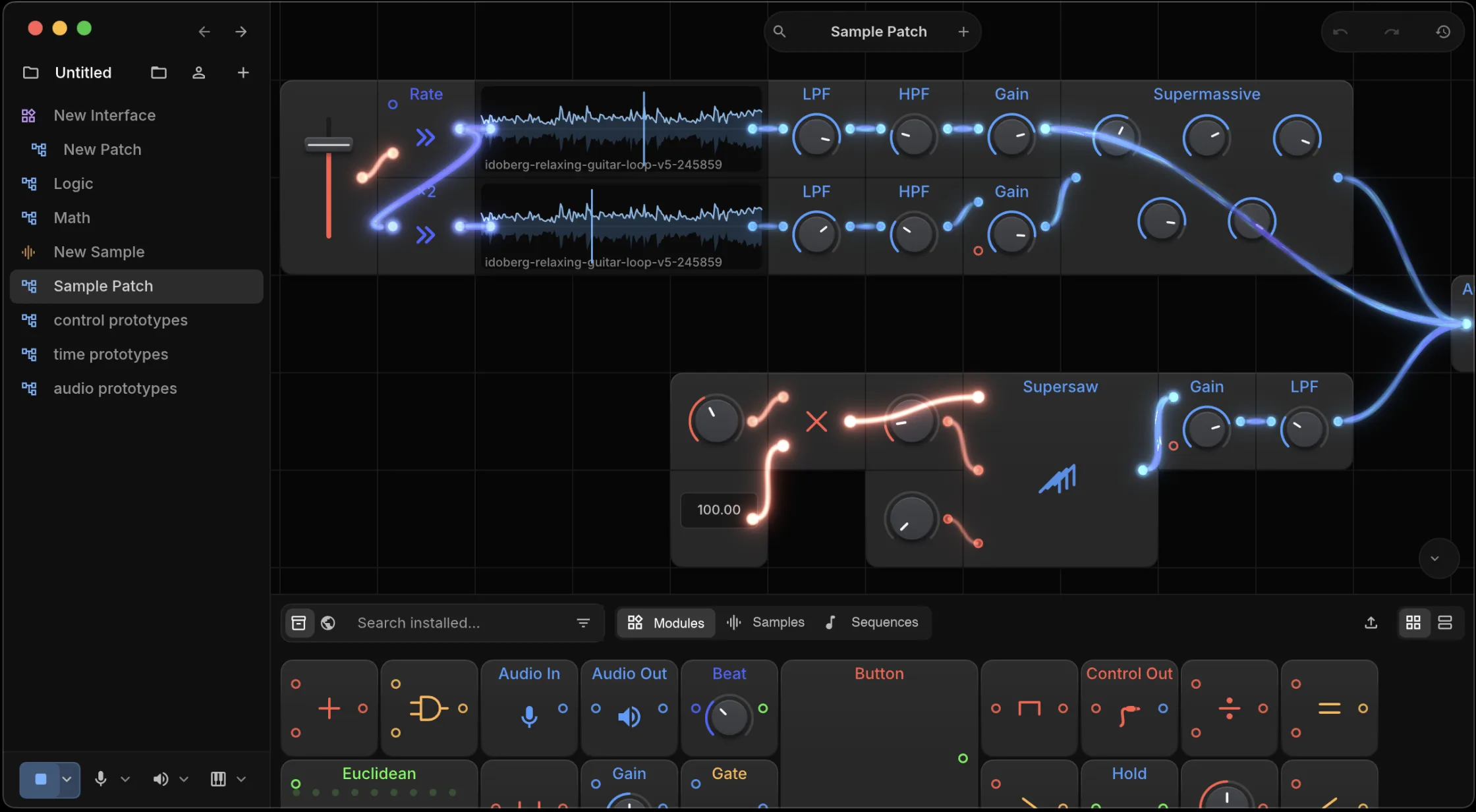
Audio, note events, and control values travel on different kinds of cable, each drawn in a different colour. A cable only plugs into an input that accepts its kind.
macOS · Windows · Linux | Standalone · VST3 · CLAP
Place modules on a grid and connect them with cables, as you would on a modular synth.
Audio, note events, and control values travel on different kinds of cable, each drawn in a different colour. A cable only plugs into an input that accepts its kind.
Cables show what is passing through them, so when a patch goes quiet you can follow it to the last cable still carrying signal.
Modules carry their knobs, switches, and readouts on their face. Turn a knob and the sound changes while the patch is playing.
Build a voice or an effects chain as a patch, then drop it into a bigger patch as a single box with its own inputs and outputs.
Audio clips open in a sample editor and note sequences open in a piano roll. Both play on the same clock as the rest of the patch.
Drag the start and end handles across the waveform, or type exact frame numbers.
Set a sample's volume or play it backwards. Both settings belong to the sample, so every place you use it sounds the same.
Place, move, resize, and delete notes, select several at once, and choose which part of the sequence plays.
A sequence sends its notes into the patch as events. Any module that responds to MIDI responds to a sequence.
Search the catalog for modules, samples, and sequences that other people have published. What you already have installed shows up in the same list.
Narrow by category and tag, then sort by what people are installing now, what is newest, or what is installed most.
Anything in the catalog installs into the project you have open, along with whatever it depends on.
Share a module, sample, or sequence you made and see how many people install it.
A patch remembers the exact version of everything it uses. When an author publishes an update, patches built on the old version keep playing the old version.
Select a module and describe what you want it to do. Route writes the new module and swaps it into your patch, and you can keep editing it by hand like any other.
Wavefolder.moduleRoute compiles a generated module before it reaches your patch. If it fails to build, nothing in your patch changes.
Ask for a change and Route starts from the module you already have, so the parts you did not mention are left alone.
The same prompt works on samples and sequences. Whether you open it on a module, a sample, or a sequence decides what gets generated.
A project lives on your computer and syncs through the cloud to your other devices. Open it somewhere else and carry on where you left off.
The project is stored on your machine and keeps working without a network. The cloud keeps a copy for your other devices.
Change the same project on two machines and both sets of edits end up in it.
Two people can work in the same project at the same time.